
When an integration sends an order with the wrong network, a mistyped payout address, or a missing memo, the user may send funds before the problem is noticed. Build validation into the backend workflow: load the selected instrument, sign the exact JSON body, validate the destination, and create the order only after HTTP 200.
Summary: MarketExchange API v2 validates a recipient address before order creation. Use the same currency, network, address, and memo for validation and order creation. Require HTTP 200 with an empty body, keep the HMAC secret on the backend, and store the resulting Order ID separately from blockchain transaction IDs.
This guide covers a crypto destination check, not postal address verification or AML risk scoring. Validation does not prove ownership, guarantee blockchain acceptance, or remove the user’s responsibility for the address, network, memo, or tag. For integration questions outside this workflow, use the MarketExchange support centre.
How to sign API v2 requests with HMAC-SHA256
Create an API key for the backend service in the account’s API Keys area, optionally restricting it with whitelistIp. The documented alternative is POST /api/v1/users/generate-api-key with a name, whiteListIp, and isActive. Save secretKey immediately because it is shown only once.
Store the secret in an environment variable or managed secret store. Do not commit it, place it in browser or mobile code, or paste it into a bot chat. Restrict backend IPs and rotate an exposed key.
Every v2 request uses JSON over HTTPS and these headers:
- X-Api-Public-Key: the public key for the API key.
- X-Api-Timestamp: the request timestamp, normally in UNIX milliseconds.
- X-Api-Signature: the Base64 HMAC-SHA256 signature.
- Accept and Content-Type: application/json.
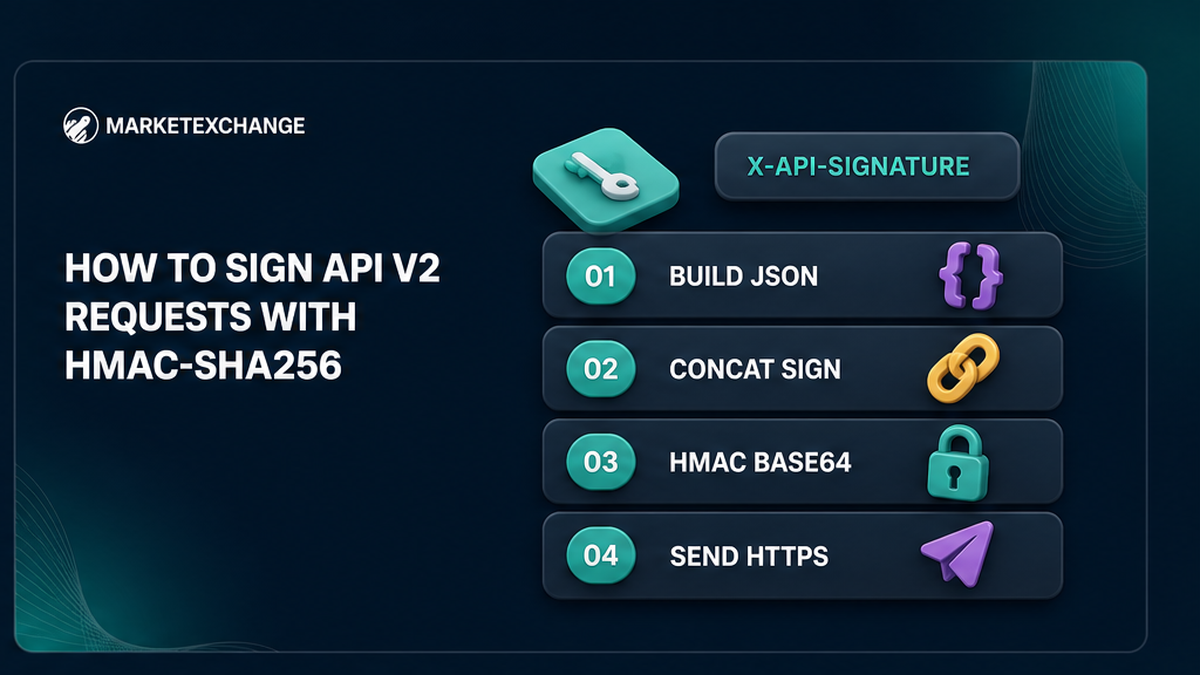
MarketExchange signs this exact value: StrToSign = timestamp + body + publicKey. The signature is Base64(HMAC_SHA256(StrToSign, secretKey)). Here, body is the compact JSON string actually transmitted. Sign the same bytes that reach the HTTP client; reformatting or reordering the body afterward can cause a mismatch.
- Build the endpoint request with its required fields.
- Serialize it once as compact JSON.
- Read the timestamp in the unit expected by the API.
- Concatenate timestamp, body, and publicKey without separators.
- Calculate HMAC-SHA256 with secretKey and encode it as Base64.
- Send the unchanged body with all three X-Api headers over HTTPS.
- Record the endpoint and status without logging the secret.
Do not substitute a Binance query-string or hexadecimal signature formula. If authentication fails with 403, check the key, IP whitelist, timestamp unit, public key, exact body bytes, Base64 encoding, and endpoint version. For temporary 429 or 5xx responses, use bounded backoff rather than immediately repeating a create request.
How to load the correct instrument and validate the destination
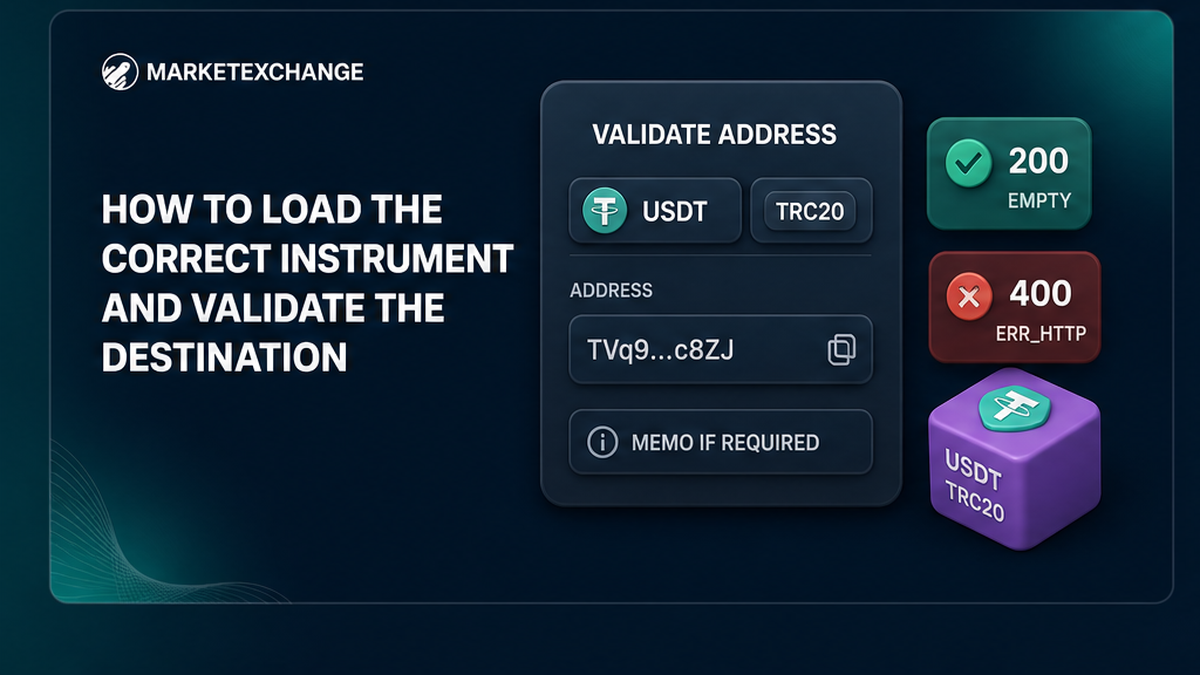
Resolve the exact receiving instrument before checking the address. The public catalog is GET https://marketexchange.io/api/v2/instruments/public. Records include currencyTitle, networkTitle, slug, and requiresMemo. You can also request one instrument with POST /api/v2/instruments/public/one using the currency and network titles.
Do not infer a network from a ticker alone. When requiresMemo is true, collect the memo or tag separately. Do not append it to the wallet address or reuse an old value. If no memo is required, do not invent one.
Call the canonical validation endpoint:
POST https://marketexchange.io/api/v2/instruments/public/validate-address
The JSON body contains currencyTitle, networkTitle, and address. Include memo when required:
{“currencyTitle”:”USDT”,”networkTitle”:”TRC20″,”address”:”the_user_destination”,”memo”:”optional_required_memo”}
Use values from the same server-side order draft that will later reach create-order. If the address, network, memo, or any transformed value changes after validation, discard the result and validate again.
Success means HTTP 200 with an empty body, not a JSON object such as {“isValid”:true}. A failed validation returns HTTP 400 with an error object containing status: “ERR_HTTP”, message: “Http Exception”, and an address-related reason in data.address. Show a useful correction message and stop the order flow.
Validation is not an AML investigation, ownership check, or recovery guarantee. MarketExchange’s terms place responsibility for the wallet address, network, MEMO, Destination Tag, and Payment ID on the user. Do not call a postal service, competitor endpoint, singular /instrument/ path, or v1 route for this integration.
Step-by-step: create the order only after HTTP 200
The backend, not only the frontend, must enforce this state transition:
draft instrument → destination captured → requirements loaded → destination validated → create permitted
Block creation until validation returns HTTP 200. If the user changes the currency, network, address, memo, tag, or any server-side transformation, clear the validation result. A disabled browser button is not a security control.
The order endpoint is:
POST https://marketexchange.io/api/v2/orders/public/create
It uses the same HMAC headers. The documented create request requires the source and destination instruments, destinationAddress, refundAddress, and claimedDepositAmount. It may also include destinationAddressMemo, refundAddressMemo, rateMode, and a claimed public rate where applicable. Follow the orders API documentation for the complete contract.
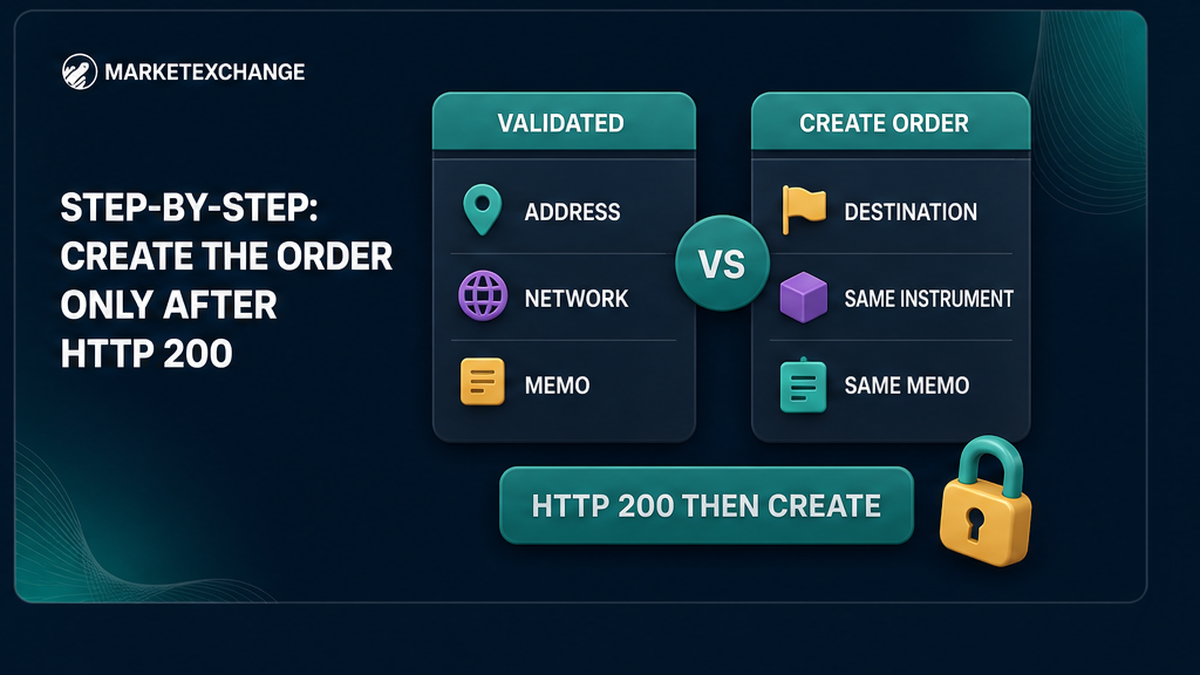
| Validated value | Create-order value | Rule |
|---|---|---|
| currencyTitle and networkTitle | Destination instrument titles | Use the same instrument. |
| address | destinationAddress | Copy the exact validated string. |
| memo | destinationAddressMemo | Copy the same memo when required. |
Do not confuse destinationAddress with refundAddress. They are separate order values. Collect the refund address according to your policy and the documented API requirements.
Bind the validated draft to the current integration, session, and order attempt. If create-order times out, determine whether it was accepted before retrying. A blind retry can create duplicate attempts. Show the asset, network, destination, and memo or tag for final user confirmation, but treat that review as supplementary to backend validation.
Checklist: separate Order ID from blockchain TxID
Save the orderId returned by create-order as soon as the order is accepted. It identifies the MarketExchange order. Keep it beside your internal request ID, selected instruments, validation result, and timestamps.
A blockchain transaction ID identifies activity on a network. It may appear later for a deposit or payout and is not the MarketExchange Order ID. Use separate fields such as marketexchangeOrderId, depositTxId, and payoutTxId.
- Record your internal order or request identifier.
- Save the MarketExchange orderId.
- Record the key label or environment, never the secret.
- Store source and destination currency and network titles.
- Record validation and create timestamps and HTTP statuses.
- Track whether a memo or tag was required and supplied.
- Add deposit and payout TxIDs when available.
Label identifiers clearly in the user interface and support tools. Start troubleshooting with the Order ID, confirm the creating public key, inspect the destination fields, and then check whether a blockchain TxID exists. For a manual user-facing address and network review, see the SOL to USDT exchange guide; it complements this backend workflow but does not replace API validation.
Why secretKey must remain on the backend
The browser should submit its destination form to your server. The server loads the instrument, validates the destination, and creates the order after the gate passes. This keeps signing and memo rules outside client-controlled code.
Use HTTPS, managed secret storage, restricted service access, and separate development and production configuration. If the secret is exposed, rotate or disable the key, update the secret store, review logs, and verify the IP whitelist. Fail closed when the secret is missing; do not send an unsigned create request.
Frequently asked questions
Is validation required before creating an order?
Use it as the mandatory backend gate for this workflow. Create the order only after the validation endpoint returns HTTP 200.
What if the user changes the address?
Invalidate the old result and call POST /api/v2/instruments/public/validate-address again. Repeat the check when the network, memo, or destination tag changes.
What is the v2 base path?
The base path is https://marketexchange.io/api/v2/. Validation uses /instruments/public/validate-address; creation uses /orders/public/create.
What does successful validation return?
HTTP 200 with an empty body. Do not wait for an isValid flag. HTTP 400 with ERR_HTTP is a failed validation.
Does validation perform an AML or risk check?
No. It checks destination data for the selected asset and network. It is not an AML score, ownership check, or recovery guarantee.
Why store Order ID and TxID separately?
The Order ID identifies the MarketExchange order. A TxID identifies a blockchain transaction that may appear later. Save both with clear labels.
Can I sign requests in frontend code or a Telegram bot?
No. Keep secretKey on a protected backend, sign the exact compact JSON bytes there, and rotate the key if it may have been exposed.