
Your first widget swap can go wrong before any coin leaves your wallet: the ticker may look right while the network is wrong, or the address you paste may need a memo. The safe method is to treat the order like a delivery form. Match both assets and both networks, check the destination details, save the order ID, then send the exact deposit once. Follow the checks below and you will know when to continue, when to stop, and what evidence to keep.
Summary: To swap crypto on the MarketExchange widget, match the send and receive assets with the networks supported by your two wallets. Check the rate type and recipient details before creating the order, then send the exact deposit once to the newly generated address. Save the order ID and transaction ID so you can track the swap without sending again.
Keep two wallet screens open: the source wallet that holds your input coin and the receiving wallet where the new coin should arrive. The workflow is: prepare wallets → fill “You send” and “You receive” → choose a rate → verify the recipient → create the order → send once → track → confirm receipt.
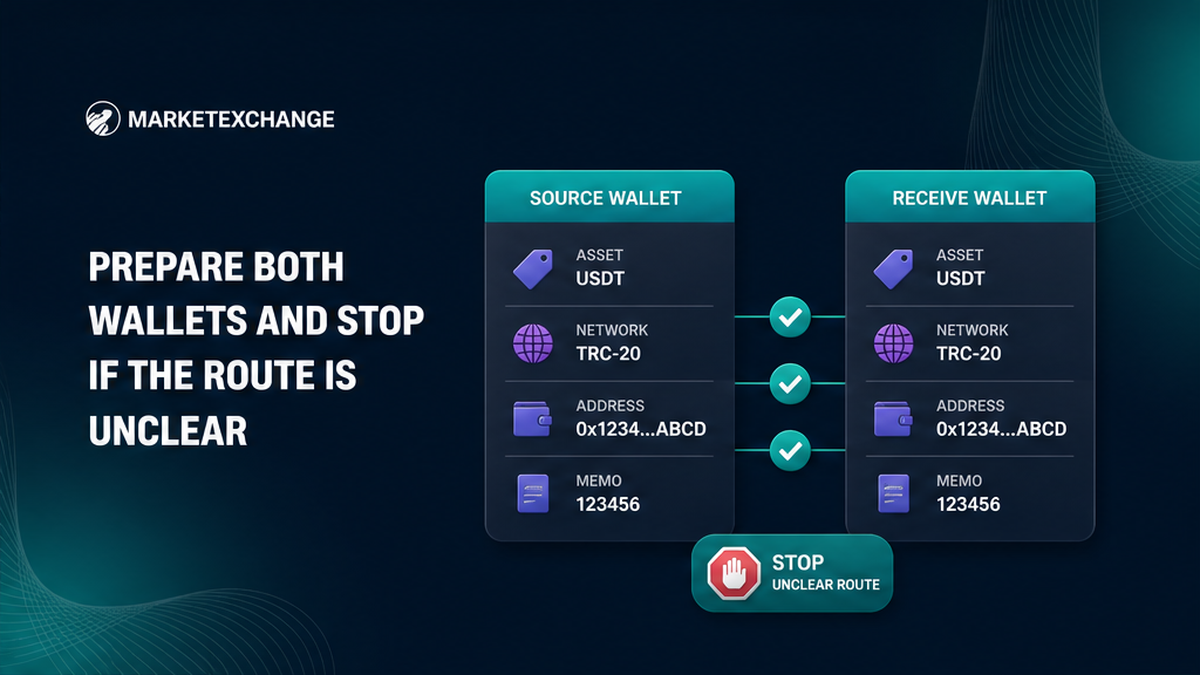
Prepare both wallets and stop if the route is unclear
Check eligibility under the current Terms of Use. The service is not for EU or EEA citizens, residents, tax residents, organizations, or people acting from there. If this applies, stop.
Write down both coins and both networks. A network is the blockchain route, like a rail line. “USDT” alone is not enough because it can travel on incompatible routes.
- Open the source wallet’s send screen.
- Open the destination wallet’s receive screen.
- Check whether the receiving wallet asks for a memo, tag, or Payment ID.
- Check that the source wallet can also pay its displayed network fee.
A memo, Destination Tag, or Payment ID is an extra delivery note that directs a shared wallet address to the right user. Copy it when the receiving screen shows one.
For unfamiliar funds, request the optional free AML check. AML screens for links to risky activity. Give the chat the sender address or transaction ID, asset, and network. It does not promise completion.
Choose both assets and match both networks exactly
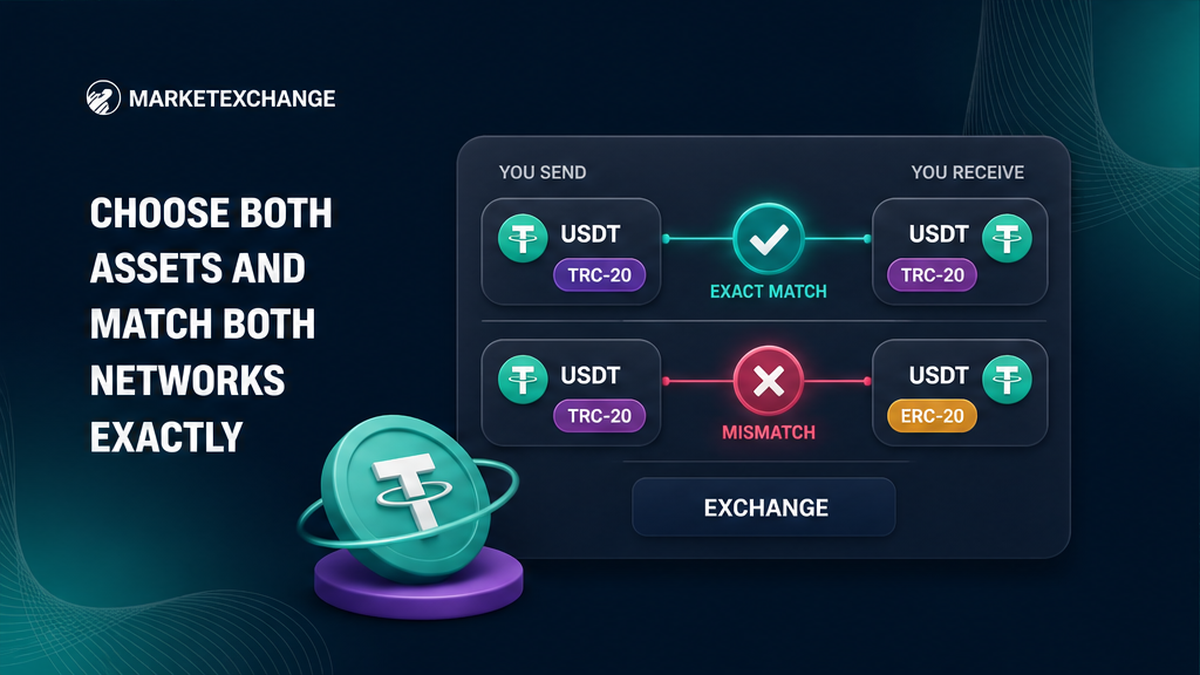
In the homepage widget, set “You send” to the source coin and withdrawal network. Set “You receive” to the output coin and a network supported by the destination wallet.
Compare full names, not only tickers. TRC-20 travels on Tron; ERC-20 travels on Ethereum. Both may say USDT, but they are different routes. A wrong-route send may be unrecoverable.
| Widget field | Match it with | Stop when |
|---|---|---|
| You send asset | Coin held in the source wallet | The wallet does not hold that coin |
| You send network | Withdrawal network in the source wallet | The names differ or the wallet hides the route |
| You receive asset | Coin opened on the receiving screen | The receiving wallet does not list it |
| You receive network | Deposit network in the receiving wallet | The address belongs to another network |
Do not guess from the address shape. If the network names do not match, pause and check the wallet’s official help.
Enter the amount and choose Fixed or Floating deliberately
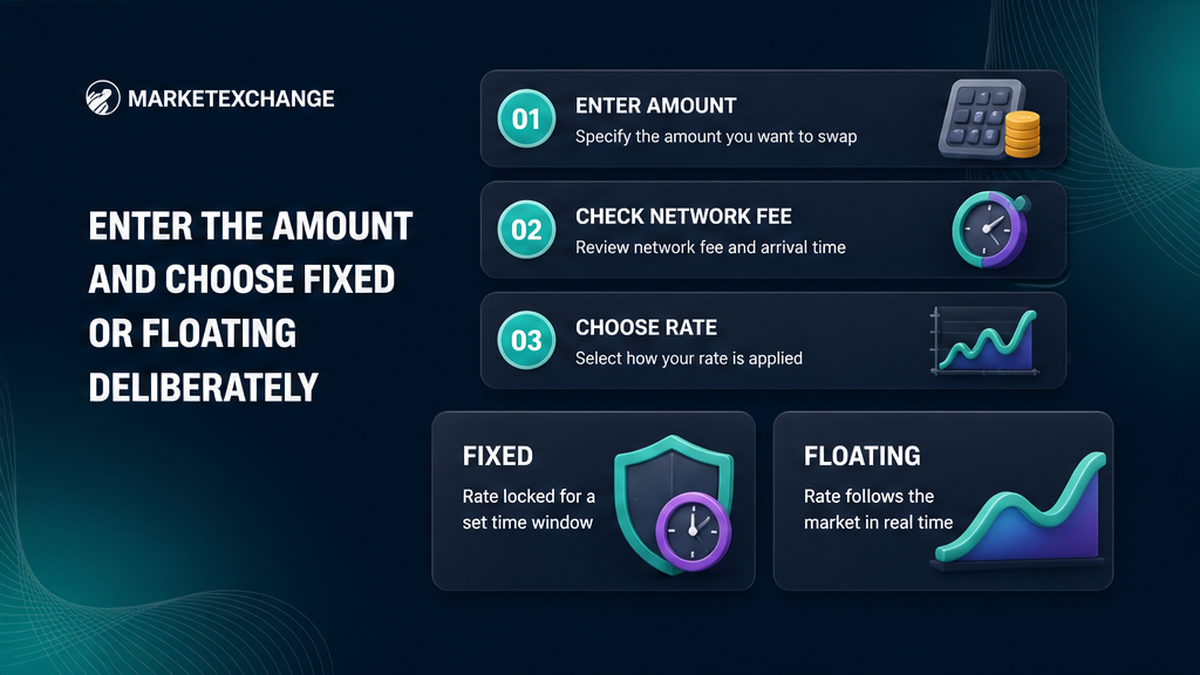
Enter an amount within the widget’s live limits. Check the balance after the wallet’s network fee. If the wallet deducts that fee from your send amount, the deposit may arrive short.
Fixed and Floating describe the conversion rate, not blockchain speed. Fixed holds the rate for the limited period displayed on the platform. Send the specified amount on the specified network, once and within that period.
Floating uses the market rate available when the liquidity provider receives the funds. A liquidity provider supplies coins for the conversion, like the counter filling the exchange. The result can change in transit, and the Terms state that a floating direction is recalculated only downward. Treat the displayed result as an estimate.
Choose Fixed only if you can send immediately. Choose Floating only if you accept a changing result. Use the active order, not a timer or fee copied from another service.
Paste the recipient address and verify every destination detail
The recipient address is where the output coin should arrive. Copy it from the destination wallet’s receive screen for the selected asset and network. Paste it into the widget, then compare its first and last characters with the wallet screen.
Enter any memo, Destination Tag, or Payment ID exactly as shown. A correct address with a missing tag may not be credited to your account. If neither screen asks for an extra identifier, do not invent one.
Do not paste your sending address here. The source address pays into the swap; the recipient address receives the converted coin.
Address rule: Before the order, paste your receiving wallet address. After creation, send to the new deposit address shown for that order. Never swap these addresses.
Review the order and save its identifier before paying
Before confirming, check both assets and networks, send amount, receive estimate, rate mode, recipient address, and any memo or tag. If a refund field appears, use an address you control on the correct input network.
Save the order ID and keep the status page open. Use a note or screenshot that does not expose recovery words or private keys.
Never reuse an old deposit address. Stop if the new address’s asset or network differs from your source wallet.
Run this final check before any send:
- Confirm that you control both wallets.
- Match the You send coin and network with the source wallet withdrawal screen.
- Match the You receive coin and network with the destination wallet.
- Verify the recipient address and copy the required memo, tag, or Payment ID.
- Choose Fixed or Floating and accept its rate rule.
- Check the exact amount and how the source wallet applies its fee.
- Save the new order ID and use only the deposit address created for that order.
- Send once on the selected network within any displayed Fixed deadline.
- Save the send-side transaction ID and wait for the order status to update.
Send the exact deposit once and do not split it
In the source wallet, choose the same input coin and network used in “You send”. Paste the new deposit address, enter the exact order amount, and check the network fee before approving.
Send one transaction. Do not split it or make a partial test payment. For Fixed orders, a late, short, wrong-network, or split deposit can lead to recalculation, a refund minus costs, or rejection when a return is impossible.
Test a new route only with a separate small exchange inside the current widget limits. After sending, copy the TxID, or transaction ID. It is the blockchain receipt for your payment; the MarketExchange order ID identifies the conversion.
Track the order and escalate without sending again
Follow the status page with the order ID. Check the source TxID in a blockchain explorer, a public search page for transfers. It shows whether the send is waiting, confirmed, and addressed correctly.
Pending does not mean pay again. Compare the TxID, deposit address, amount, and network with the order, then wait for the status to change. After completion, check the output coin in the receiving wallet on the selected network.
If a confirmed payment does not progress, give official support the order ID, TxID, assets, networks, amount, addresses, and screenshots. Never share recovery words, a private key, or a password.
A refund is not guaranteed. It is possible only when technically available and goes to the original sending wallet; fees or checks may apply. Submit a completed-exchange claim with evidence within 7 business days after completion.
Complete the swap only after checking the receiving wallet
Finish only when the output coin appears in the destination wallet on the expected network. Save the final status, order ID, and TxID. A record of the pair, networks, amount, rate mode, and addresses gives support facts it can investigate.
When every route detail matches, create the order in the homepage swap widget. Stop before payment if a network, amount, address, or extra identifier is unclear.
Frequently asked questions
Do I need an account to use the MarketExchange widget?
No such promise applies. AML/KYC means risk screening plus “know your customer” identity checks. Follow the order instructions and use official channels.
Where can I find the MarketExchange order ID?
Save it from the order or status page before sending. Keep it with the source TxID because support may need both.
What should I do if I selected the wrong network?
Before sending, stop and create a correct order. After sending, do not pay again. Give support the IDs, asset, network, amount, and addresses. Recovery is not guaranteed.
Can I send a smaller test payment to the same order?
No. Send the exact amount once. For a test, create and finish a separate small exchange within the widget’s current limits.
What is the difference between the recipient and deposit addresses?
The recipient address receives the converted coin. The generated order address receives the coin you send. Never swap their roles.
What should I do when the order stays pending?
Do not resend. Check the TxID, amount, network, and deposit address. If payment is confirmed but the order does not move, contact official support with evidence, never wallet secrets.