
A silent swap is stressful, but “I sent USDT yesterday” does not identify the transaction. Open MarketExchange through an official channel, collect the live Order ID, both transaction hashes or a clear “none yet” note, networks, amounts, addresses, timestamps, and matching explorer links, then send one factual packet without exposing wallet or API secrets.
Summary: Include the Order ID, live status, deposit TxID, payout TxID or “none yet,” asset and network details, amounts, addresses, timestamps, and exact-chain explorer links. Never send a seed phrase, private key, password, QR backup, or API secretKey.
The Order ID identifies the swap inside MarketExchange; a TxID identifies a blockchain transaction. They are different fields. This checklist covers the first support message and does not ask you to make another payment.
How to open official support from the MarketExchange website
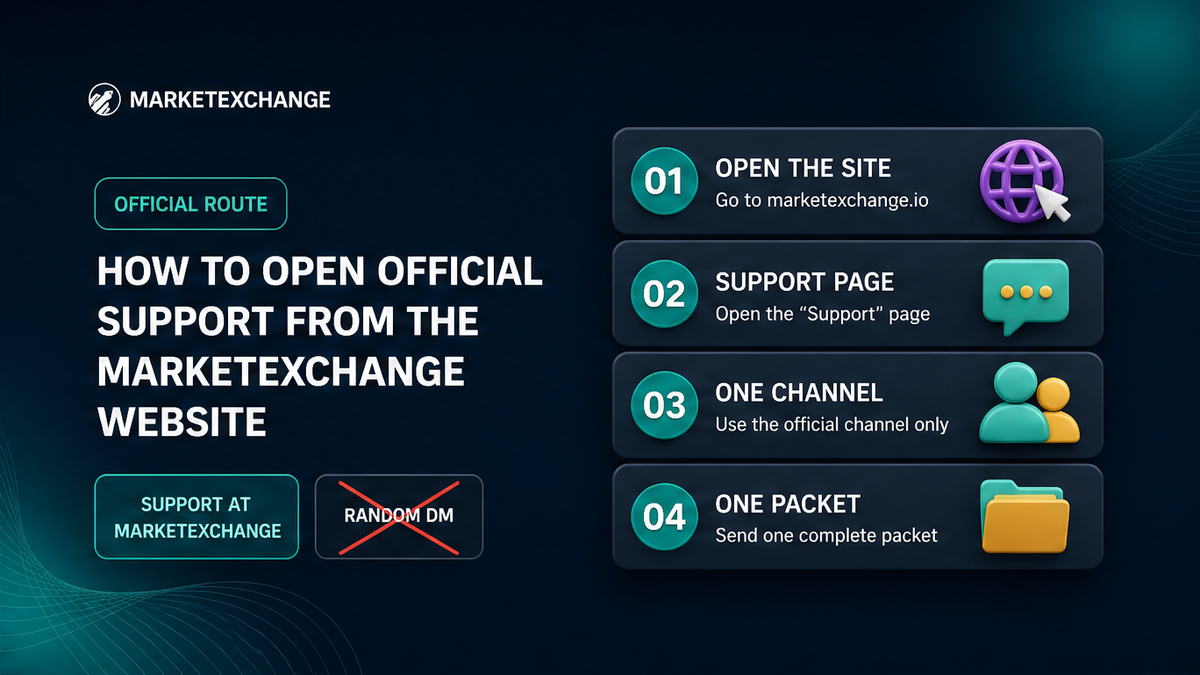
Open the MarketExchange Support page yourself. It provides Online help, [email protected], and the official Telegram route connected with Marketexchange_io. Do not trust an unsolicited message.
Do not send an order request to [email protected]; it is a CEO marketing contact, not the order support mailbox. The Support page states 24/7 availability, but this is not a guaranteed reply time.
Workflow: open the site → Support → Online help, support@, or the site Telegram → prepare one packet → send one factual request.
Checklist: copy the live order details before writing
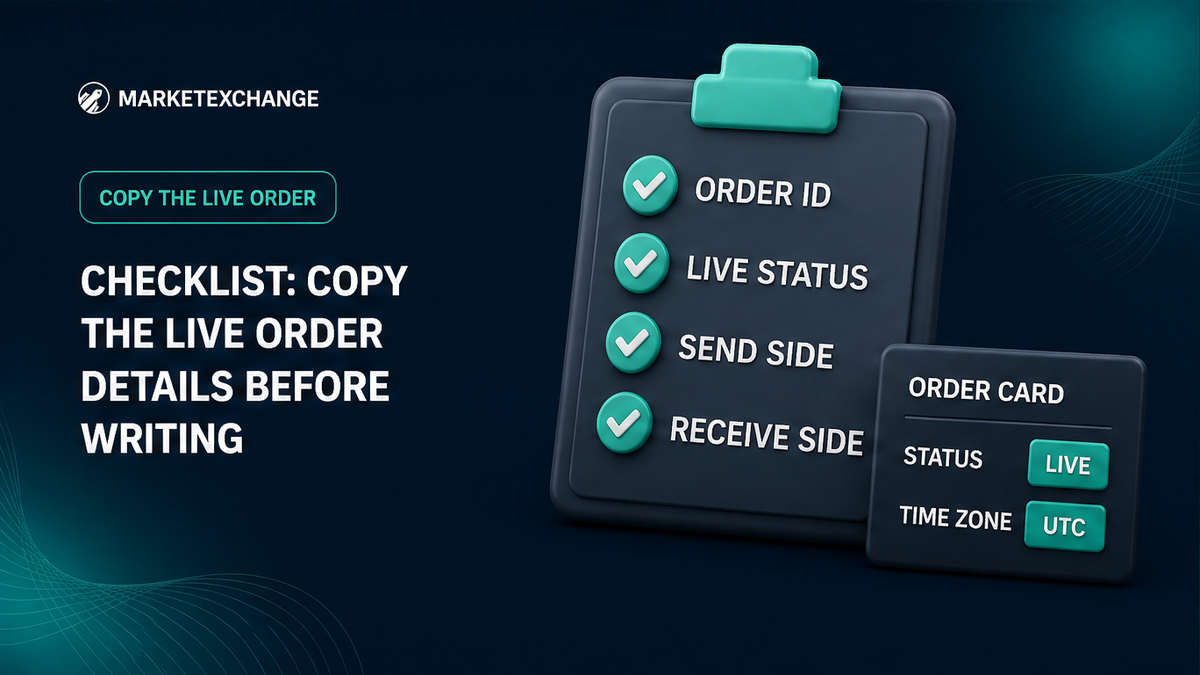
Open the current order page and copy its information exactly. If a value is not shown, write “not shown” instead of guessing.
- Order ID: complete MarketExchange identifier.
- Status: exact wording on the live order page.
- Time: creation date and time with the time zone; label other event times separately.
- Send side: asset, network, amount, deposit address, and any memo, tag, comment, or Payment ID.
- Receive side: asset, network, amount expected or shown, destination address, and any destination detail.
- Networks: full network name; a ticker alone is not enough.
For integrators, orderId, destinationAddress, depositAddress.depositAddress, and currency or network titles illustrate the distinction between deposit and destination addresses. Label both sides and include a memo or tag when required.
Compare the Order ID with both blockchain TxIDs
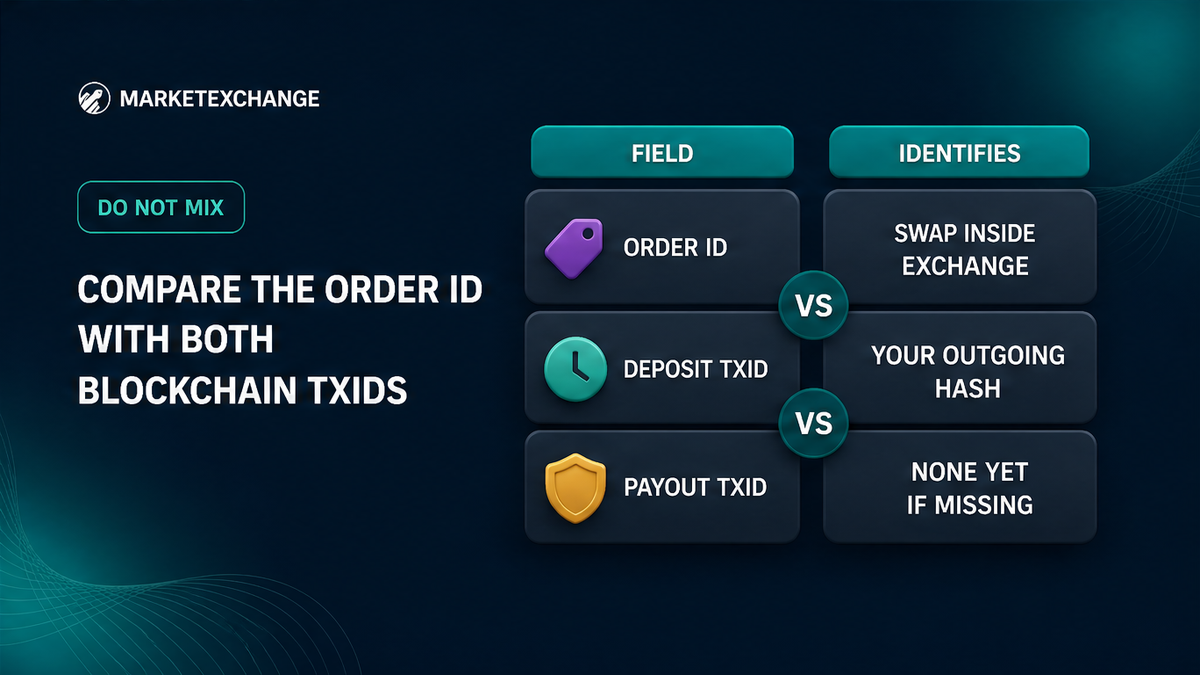
The Order ID identifies the swap inside MarketExchange. A TxID identifies a transaction on a particular blockchain. An Order ID will not work in an explorer, and a deposit hash does not replace the Order ID.
| Field | What it identifies | What to send |
|---|---|---|
| Order ID | The MarketExchange order | Complete value from the live order page |
| Deposit TxID | Your outgoing transaction to the deposit address | Full hash from the wallet or matching explorer |
| Payout TxID | Transaction sending the exchanged asset to the destination | Full withdrawal hash when shown |
| Missing payout | No payout hash is available yet | Write payout TxID: none yet |
In the Orders API, the deposit hash is deposits[].txId and the payout hash is withdrawals[].txId. Label the fields separately:
- Order ID: complete MarketExchange order identifier
- Order status: exact text from the live order page
- Deposit TxID: complete outgoing transaction hash
- Payout TxID: complete withdrawal hash, or “none yet”
How to attach the exact-chain explorer evidence
For every available TxID, open an explorer for the same network and copy the complete URL. The link supplements the raw hash and lets support compare the hash, status, addresses, value, timestamp, confirmations, and memo or tag where available.
- Confirm that the sending-wallet transaction went to the MarketExchange deposit address.
- Copy the full TxID; do not use a shortened wallet display.
- Open the transaction on the matching explorer and confirm the network.
- Compare status, from address, to address, amount, timestamp, and memo or tag where applicable.
- Place the complete explorer URL beside the corresponding Deposit TxID or Payout TxID.
- If no payout transaction exists, write “payout TxID: none yet” and do not create a substitute link.
Do not use an explorer for another network or a generic result that does not prove the chain. Screenshots support the written fields but cannot replace them.
Checklist: remove secrets from screenshots and attachments
Inspect the whole image, including browser tabs, notifications, QR codes, and wallet panels. Crop or redact sensitive material while leaving the Order ID, status, hash, and transaction details readable.
- Never send: a seed or recovery phrase, private key, wallet password, backup QR code, two-factor code, password-reset link, session token, or remote-access invitation.
- Never send: an API secretKey.
- Useful attachments: an order screenshot with the Order ID and status, a transaction screenshot with the complete hash, and an explorer screenshot with the matching URL.
MarketExchange does not provide custodial cryptocurrency services. If someone asks you to import a seed, sign an unrelated message, or send a second payment, return to the official Support page.
How to write one factual support message
Put the order identity first, then the deposit and payout evidence, then the precise issue. Avoid conclusions the evidence does not establish.
Use this template and replace every bracketed value:
Subject: Swap support request, Order ID [ID]
Order ID: [complete ID]
Order status: [exact live status]
Created: [date, time, time zone]
You send: [asset], [network], [amount]
Deposit address: [address]
Deposit memo/tag: [value, or none shown]
Deposit TxID: [complete hash]
Deposit explorer: [exact-chain URL]
You receive: [asset], [network], [amount shown or expected]
Destination address: [address]
Payout TxID: [complete hash, or none yet]
Payout explorer: [URL, or none yet]
Issue: [one factual sentence]
Request: Please check this order and advise the next step.
For an inapplicable field, write “not applicable” or “none yet.” State directly if the issue concerns a wrong network, missing memo, incorrect amount, or address. Send one complete message through one official channel; do not scatter fragments, open duplicate tickets, or make a second transfer.
When to respect the processing and claim windows
MarketExchange Terms state that an exchange is processed within 30 minutes to 72 hours. This is a processing framework, not a guaranteed completion point. Check the live status and deposit confirmations before opening a duplicate case.
Terms section 2.11 gives a separate rule: an exchange claim must be submitted within 7 business days after completion and include complete information and supporting materials. This is a claim window, not a guaranteed support reply time.
| Question | Relevant information |
|---|---|
| Normal processing | Terms describe 30 minutes to 72 hours. |
| Claim evidence | Submit within 7 business days after completion with complete information and evidence. |
| Support reply | The Support page states 24/7 availability, but the Terms do not set a reply time in minutes. |
| AML/KYC request | Use the official AML process and requested channel. |
Save the order page, timestamps, explorer links, and sent message. Terms section 2.12 places responsibility for the wallet address, network, memo, destination tag, and Payment ID on the user; recovery may be technically possible and may involve additional fees. A ticket cannot guarantee recovery.
How to handle AML and KYC requests through the proper channel
AML and KYC checks apply to transactions under the Terms, but an initial evidence ticket does not automatically require passport images or a selfie. Provide identity documents only when an official AML/KYC request is opened.
The AML Policy says requested material may include an email address, identity document photos, and selfie-liveness material. It specifies JPEG or PNG for images and directs collection through the AMLBot form. Do not send identity documents to a random Telegram account.
The AML timeline is separate from the claim timeline. The AML Policy describes an individual KYC document review period of no longer than 30 days unless a liquidity provider freeze applies, and a 7 business day refund processing period after a positive AML review. These statements differ from the 7 business day claim window after completion in Terms section 2.11.
For a pre-exchange risk check, use the official MarketExchange AML check route. For an existing order, keep the ticket focused on the Order ID, transaction evidence, and precise question.
Checklist: finish the packet with a safety check
Before sending, confirm that another person could identify the exact order, distinguish the deposit from the payout, confirm the chain, and understand what remains unresolved.
- Channel: opened from marketexchange.io/support, not an unsolicited DM.
- Identity: Order ID and exact live status are included.
- Timing: creation or event time includes the time zone.
- Send side: asset, network, amount, deposit address, and memo or tag are labelled.
- Receive side: asset, network, amount, and destination address are labelled.
- Hashes: full deposit TxID and payout TxID, or “none yet.”
- Links: each explorer URL matches its network and hash.
- Images: no seed phrase, QR backup, password, private key, or API secret.
- Message: the problem and requested action are stated factually.
Final workflow: official site → live order → Order ID and status → deposit details → payout details or none yet → full hashes → matching explorers → clean screenshots → one ticket.
Keep the ticket reference and original evidence after sending. If support asks for clarification, preserve the same Order ID and transaction labels. Read the MarketExchange Terms of Use when needed. Before a new swap, verify the asset, network, amount, and destination in the MarketExchange swap widget.
Frequently asked questions
Is a Telegram DM claiming to be support real?
Do not assume it is real. Open the official Support page yourself and use Online help, [email protected], or the route shown there. Never provide a seed phrase, private key, password, or API secretKey.
What is the difference between an Order ID and a TxID?
Use the Order ID for the swap inside MarketExchange. Use the deposit TxID for the transaction sent to the deposit address, and the payout TxID for the withdrawal when one exists. An Order ID cannot be searched in a blockchain explorer.
What should I send for a stuck swap?
Send the Order ID, exact status, creation time with time zone, send and receive assets and networks, amounts, addresses, memo or tag, full deposit TxID, payout TxID or “none yet,” and exact-chain explorer links. Add clean screenshots without secrets.
Should I include a screenshot for a stuck swap?
Yes, when it supports the written evidence. Show the Order ID and status, transaction details, and matching explorer record. Remove seed phrases, QR backups, passwords, 2FA codes, private keys, and API secrets.
How long is the claim window?
Terms section 2.11 says to submit an exchange claim within 7 business days after completion with complete information and supporting materials. This is not a promised support reply time.
Do I need KYC screenshots for every support ticket?
No. Start with the order and blockchain evidence. Provide identity documents only if an official AML/KYC request asks for them, using the requested process and form.
What if I have no payout TxID yet?
Write payout TxID: none yet and explain that no payout hash is shown on the live order. Include the deposit TxID and explorer link. Do not substitute the Order ID, invent a hash, or send another payment.
Disclaimer: The material in this article is not financial or investment advice. Everything stated here reflects the author's personal view and should not be treated as a recommendation to trade or invest. We make no warranties regarding the accuracy, reliability or completeness of the information presented. Cryptocurrency markets are highly volatile and can move unpredictably. Before committing any funds, every investor, trader or crypto user should study several independent sources and check the regulations that apply in their own jurisdiction.